
You do not need a bigger desk. You need a better one. Most cluttered workspaces are not suffering from a lack of square footage, they are suffering from cables, stacked junk, and a laptop sitting flat on the desk at neck ache height. The good news: a handful of affordable upgrades can transform a cramped corner into a workspace you actually enjoy sitting down at, and you can do the whole thing for under $75.
Here is the plan, one layer at a time.
Step 1: Get Your Laptop Off the Desk
A laptop stand is the highest impact upgrade on this list. Raising your screen closer to eye level does three things at once:
- Your neck and shoulders stop paying the price for eight hours of looking down.
- Air circulates under the laptop, which keeps it cooler and quieter.
- The space underneath becomes free real estate for a notebook or keyboard.
If you use an external keyboard and mouse, the stand instantly turns a laptop into something that feels like a proper desktop setup. Find stands and other desk gear in our desk and gaming collection.
Step 2: Put Down a Desk Pad
A desk pad seems purely cosmetic until you use one for a week. It defines your work zone, so clutter naturally migrates off of it. It gives your mouse a consistent surface, protects the desk from coffee rings and scratches, and makes even a budget desk look intentional. If you game after hours, a large pad doubles as an oversized mouse surface with room for big, sweeping movements.
Step 3: Kill the Cable Pile
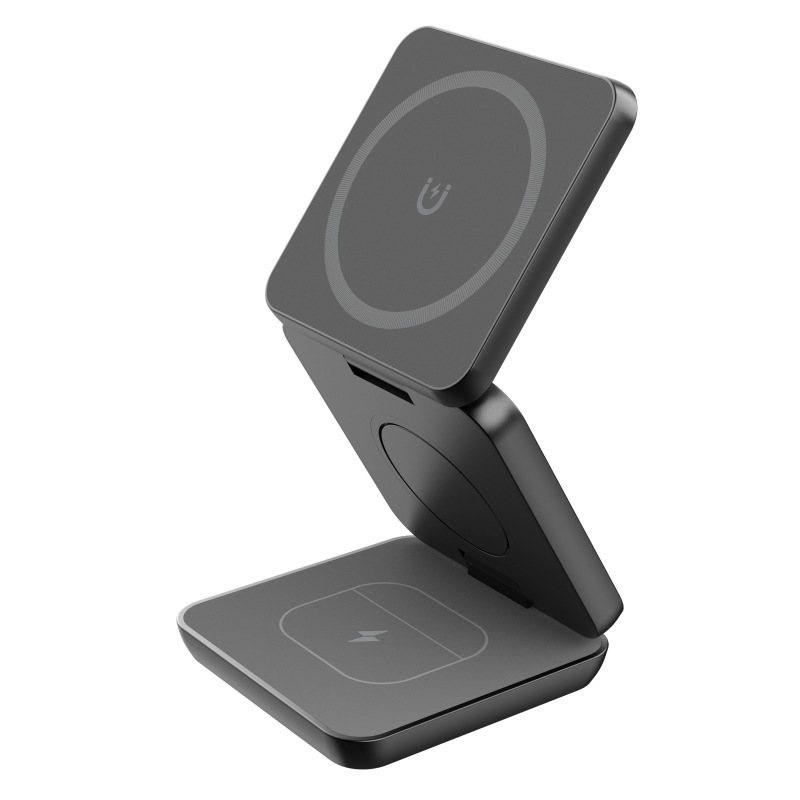
Phone cable, earbuds cable, watch cable: chargers multiply until the corner of your desk looks like a snake pit. A wireless charging stand solves most of it in one move.
Pick the Style That Fits Your Gear
- A simple charging pad or stand handles a single phone and props it up so you can see notifications while you work.
- A 3 in 1 magnetic charging stand powers a phone, earbuds, and a watch from one plug, which means one cable on the desk instead of three.
- A folding design packs flat, so it moves with you between home, office, and travel.
Browse the options in our phone accessories collection and pick based on how many devices live on your desk.
Step 4: Add Light That Works With You
Overhead room lighting creates glare on screens and shadows on everything else. Two small additions fix it.
LED Strip Lights
Run an RGB LED strip along the back of your desk or behind your monitor. Bias lighting behind a screen reduces eye strain during long sessions, and app control means you can shift from a cool white for focused work to a warm glow for evening gaming. Strips with remote and app control live in our smart home collection.
A Smart Plug for the Whole Setup
Plug your lights into a WiFi smart plug and your desk turns on with a voice command or on a schedule. Ending the workday by saying goodnight to your desk is more satisfying than it has any right to be.
Putting It All Together
Here is the under $75 build order, ranked by impact:
- Laptop stand: posture and cooling, the foundation of the setup.
- Desk pad: instant visual cleanup and a defined work zone.
- Wireless charging stand: one cable replaces three.
- LED strip: comfort for your eyes and personality for the room.
- Smart plug: one command controls the glow.
You do not have to buy everything at once. Start with the stand and the pad, live with it for a week, then layer in the charging and lighting upgrades. Each piece works on its own, and together they turn a small desk into a setup that feels twice its size.
Small Space, Big Difference
A cleaner workspace is not about minimalism for its own sake. It is about sitting down, finding everything charged and in its place, and getting to work without friction. Keep an eye on your cart total too: US orders over $50 ship free, so bundling two or three of these upgrades often covers the shipping on its own. Your desk is five items away from feeling brand new.